
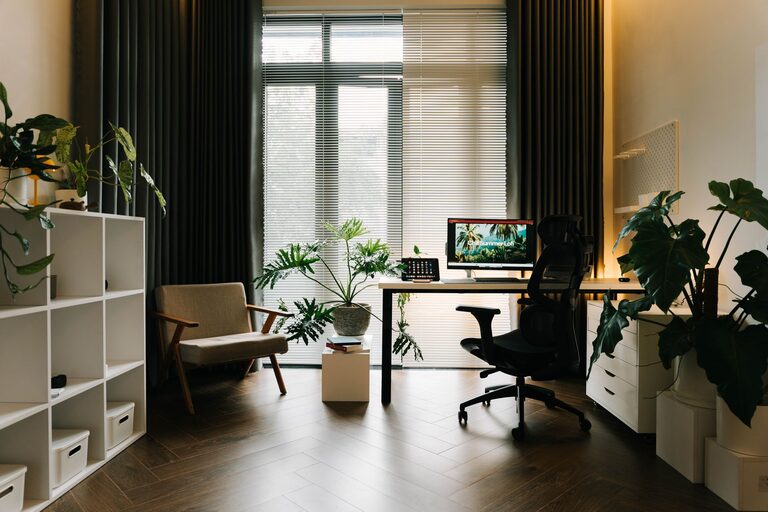
Tips for Creating a Relaxing and Productive Home Workspace
Creating a home workspace that encourages both relaxation and productivity can seem like a challenge, especially when work and life blend in the same space. However, with thoughtful planning and a few simple adjustments, you can transform your area into a place where creativity flows and stress fades. Here are some helpful tips to design a home workspace that works for you.
1. Choose the Right Location
Find a Dedicated Space
Having a designated spot for work helps your brain associate the area with focus. If possible, pick a quiet corner or a separate room. Avoid spaces where distractions like TV or household traffic are frequent.
Natural Light Matters
Position your desk near a window to take advantage of natural light. Sunlight improves mood and energy, making your work sessions more enjoyable.
2. Invest in Comfortable Furniture
Ergonomic Chair and Desk
Comfort is key for long hours. Choose a chair that supports your lower back and allows your feet to rest flat on the floor. A desk at the right height reduces strain on your wrists and shoulders.
Consider Adjustable Options
Sit-stand desks or adjustable chairs enable movement throughout the day. Changing positions helps prevent fatigue and keeps you alert.
3. Keep Your Workspace Organized
Declutter Regularly
A clean workspace clears your mind. Remove unnecessary items and keep only essentials on your desk.
Use Storage Solutions
Shelves, drawers, and organizers keep your supplies tidy and within reach, preventing distraction and wasted time searching for materials.
4. Incorporate Soothing Elements
Use Calming Colors
Colors like soft blues, greens, or neutrals can create a peaceful environment. Avoid overly bright or intense colors that may increase anxiety.
Add Plants
Greenery not only freshens the air but also has a calming effect. Small plants like succulents or spider plants are easy to care for and brighten the space.
5. Manage Noise Levels
Noise-Canceling Tools
If your home is noisy, consider headphones or noise-canceling devices to block distractions.
Soft Background Sound
Some people focus better with gentle background noise. Try calming music, white noise, or nature sounds depending on your preference.
6. Optimize Lighting for Comfort
Use Adjustable Lighting
Desk lamps with dimmers or adjustable brightness help reduce eye strain, especially during evening work sessions.
Avoid Screen Glare
Position your monitor to minimize reflections from windows or lights. Use anti-glare screen protectors if needed.
7. Create a Personal Touch
Display Inspiring Items
Photos, artwork, or personal mementos can make your workspace inviting and motivating.
Keep It Simple
Avoid cluttering the area with too many decorations, which might distract you.
8. Establish a Routine
Set Regular Work Hours
Creating a schedule helps separate work time from personal life, even in the same space.
Take Breaks
Short, frequent breaks refresh your mind. Stretch, walk around, or practice deep breathing to maintain energy.
9. Use Technology Wisely
Organize Digital Files
Keep your computer desktop and folders tidy to avoid digital clutter.
Use Productivity Tools
Apps for task management, timers, or note-taking can support your workflow and keep you on track.
10. Prioritize Air Quality
Ventilate the Space
Open windows when possible to bring in fresh air.
Use Air Purifiers
They help remove allergens and maintain a healthy workspace environment.
—
Designing your home workspace with these tips in mind can create a balanced atmosphere where you’re comfortable, focused, and motivated. Remember, the ideal workspace is one that fits your personal needs and preferences. Take your time trying out different setups until you find what works best for you.
